Add memory to your agent in 5 minutes
Install the client, sign in once, store what a user says and hand your model only the memory a question needs: Python, JavaScript and MCP for Claude Code and Cursor, step by step.
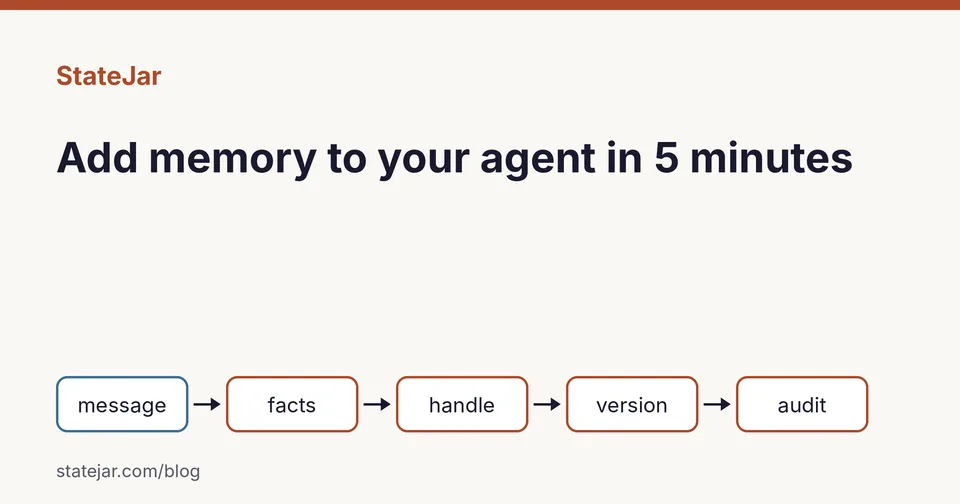
This guide adds long-term memory to an AI agent in about five minutes: install the client, sign in once, store what a user says, and hand your model only the memory a question needs. It covers Python, JavaScript and the MCP server for Claude Code and Cursor. StateJar stores facts, not transcripts, and every recall can be written to an audit log.
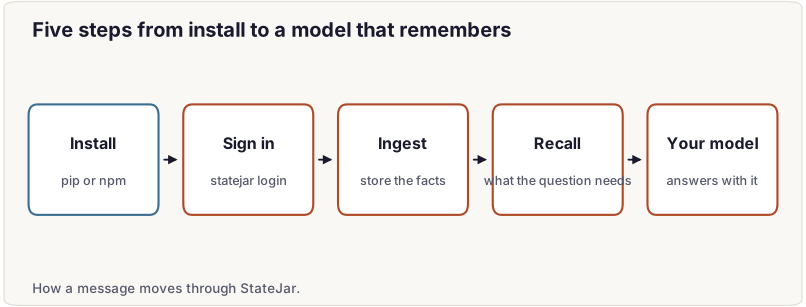
Step 1: install the client
# Python
pip install statejar

# JavaScript (Node 20+)
npm install statejar
Step 2: sign in once
# Sign in from the terminal: opens statejar.com/device, you approve once,
# a one-year developer key is stored on this machine (keychain or a 0600 file).
statejar login

# Which account is this key?
statejar whoami
Any script on this machine can now call StateJar with no key in the code. On a server or in CI, make a developer key on the API keys page and set it as `STATEJAR_API_KEY` instead.
Step 3: store what the user says (Python)
from statejar import StateJar

# the key comes from `statejar login` or STATEJAR_API_KEY; one tag per conversation
sj = StateJar(session_tag="user-42")

sj.ingest("I'm Meera from Pune and I prefer email.")    # typed facts, no transcript
`ingest` reads the message for facts, checks each one, and stores what passes as a new version of the user's state. A value that does not fit its field is declined with a reason instead of being guessed. If you want to know how those checks work, read How StateJar extracts facts with 96% precision.
Step 4: recall what the question needs
hit = sj.recall("How should I contact Meera?", audit=True)   # what the question needs
print(hit["handle_used"])        # shm_…, a SHA-256 of the canonical state
print(hit["memory_context"])     # the system message for YOUR model, nothing else
`memory_context` is a system message you pass to your own model, whichever provider you use. `handle_used` names the exact state it came from, and `audit=True` writes the disclosure to the audit log, so you can check later what the model was given. Why AI agents need an audit trail for memory explains what that record is for.
The same in JavaScript
import { StateJarClient } from "statejar";

const sj = new StateJarClient({
  baseUrl: process.env.STATEJAR_BASE_URL ?? "https://api.statejar.com/api/v1",
  // apiKey: STATEJAR_API_KEY is read automatically in Node (never in a browser)
});

const tag = "user-42";                     // one tag per conversation
await sj.ingest({ sessionTag: tag, text: "I'm Meera from Pune and I prefer email." });

const query = "How should I contact Meera?";
const hit = await sj.recall({ sessionTag: tag, query, audit: true });
console.log(hit.handle_used);       // shm_…
console.log(hit.memory_context);    // the system message for your model
Step 5: or use MCP in Claude Code and Cursor
StateJar runs a hosted MCP server at `https://statejar.com/mcp` with ten tools, including `remember`, `search`, `history`, `audit` and `verify`. Sign in with OAuth from the client, or give it a developer key.
Claude Code:
claude mcp add --transport http statejar https://statejar.com/mcpThen run `/mcp` in Claude Code and choose Authenticate; the browser opens StateJar's consent page. To use a developer key instead:
claude mcp add --transport http statejar https://statejar.com/mcp --header 'Authorization: Bearer ${STATEJAR_API_KEY}'Cursor: add this to `.cursor/mcp.json` in your project, or to `~/.cursor/mcp.json`:
{ "mcpServers": { "statejar": { "url": "https://statejar.com/mcp" } } }Other MCP clients, such as Codex, Gemini CLI, OpenCode and VS Code, use the same address; each one's setup is in the docs.
What you get
- One value per field. "I moved to Goa" replaces the city; the old value stays in the version history.
- Only what the question needs. Once a user's memory is large, recall sends the fields the question needs, not everything.
- A handle for every state. The same facts give the same `shm_` handle on any machine, and restoring a handle checks it.
- An audit log. Every audited recall records which handle and which fields your model was given.
For how this memory compares with another memory layer on a public benchmark, read Exact memory for AI agents. Plans are on the pricing page.
Try free or Talk to us.
Frequently asked questions
How do I add memory to an AI agent?
Install the StateJar client (`pip install statejar` or `npm install statejar`), run `statejar login` once, call `ingest` with each user message, and call `recall` with the user's question to get a `memory_context` system message for your model.
Does StateJar work with Claude Code and Cursor?
Yes, through its hosted MCP server at https://statejar.com/mcp. In Claude Code run `claude mcp add --transport http statejar https://statejar.com/mcp`; in Cursor add the server to `.cursor/mcp.json`.
Which language models can I use with StateJar?
Any. StateJar returns the memory as a system message, and you send it to whichever model your agent already uses.
Do I need to put an API key in my code?
No. `statejar login` stores a developer key on your machine, and the clients read it, or `STATEJAR_API_KEY`, automatically.